
Help · For everyone on shift
Filing an incident report
Look after the resident first. Then write down only what you saw and did, while it is fresh.
File the report
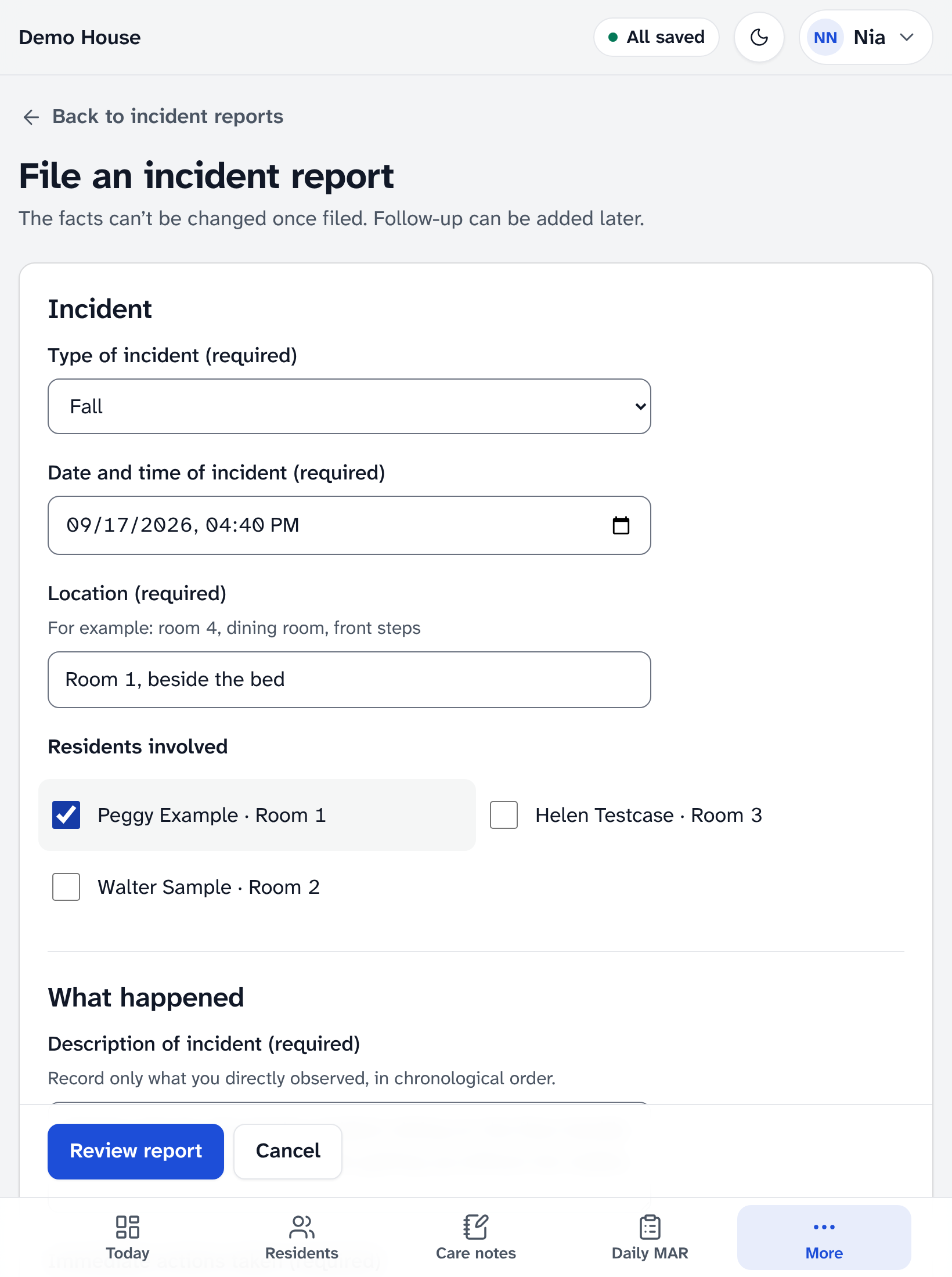
- Open Incident reports in the menu and tap File an incident report.
- Choose the type of incident. Serious incidents are listed first. For a serious incident or a medication error, a banner says who must be notified.
- Fill in the date and time and the location, and tick the residents involved. One report can name up to 10 residents; for more, file another report.
- Under What happened, record only what you observed: the events in order, the immediate actions taken, any injuries, the resident’s current condition and any witnesses.
- Tap Review report, check it, and file it. It is signed with your name. If something is missing, the field says what to enter.
Serious incidents
These are serious, and must be reported:
- an injury or accident that could be life-threatening
- the death of a resident
- an outbreak of a communicable disease
- suspected abuse, neglect, harm or improper care
- the police called or involved
- a fire
- loss of power, heat, water, food or another basic service
Notify the nurse or administrator immediately. The report lists who must be notified: the resident’s supporter or family, the resident’s physician, the Ministry of Health (licensing) and the Saskatchewan Health Authority. A nurse or administrator records each notification on the report with Record notification as it is made.
For a medication error, the physician and the pharmacist must be notified.
If a resident has wandered off and is still missing, call the police and the administrator now, before you write anything.
After it is filed
- The facts can’t be changed. The person who filed it, and any nurse or administrator, can add to it later.
- Care aides see the reports they filed. Nurses and administrators signed in with their password see every report, record each notification, add actions and follow-ups, print the report and close it.
- The list shows the newest reports first. If there are more than it holds, Show older reports brings in the next ones.
More help
- Signing in on a care tablet
- The medication pass
- Correcting a mistake
- Writing a care note
- When the internet drops
- Recording vital signs
- Filing an incident report
- Clocking in and out
- Care plans and assessments
- The family portal
- Your pharmacy and the pharmacy portal
- The pharmacy portal, for pharmacies
- Staff, tablets and support access
- Resident billing
- Getting ready for an inspection
All help · Questions: care@mapsorix.com or (306) 400-1800, Monday to Friday, 9 AM to 5 PM Saskatchewan time.